
.png)

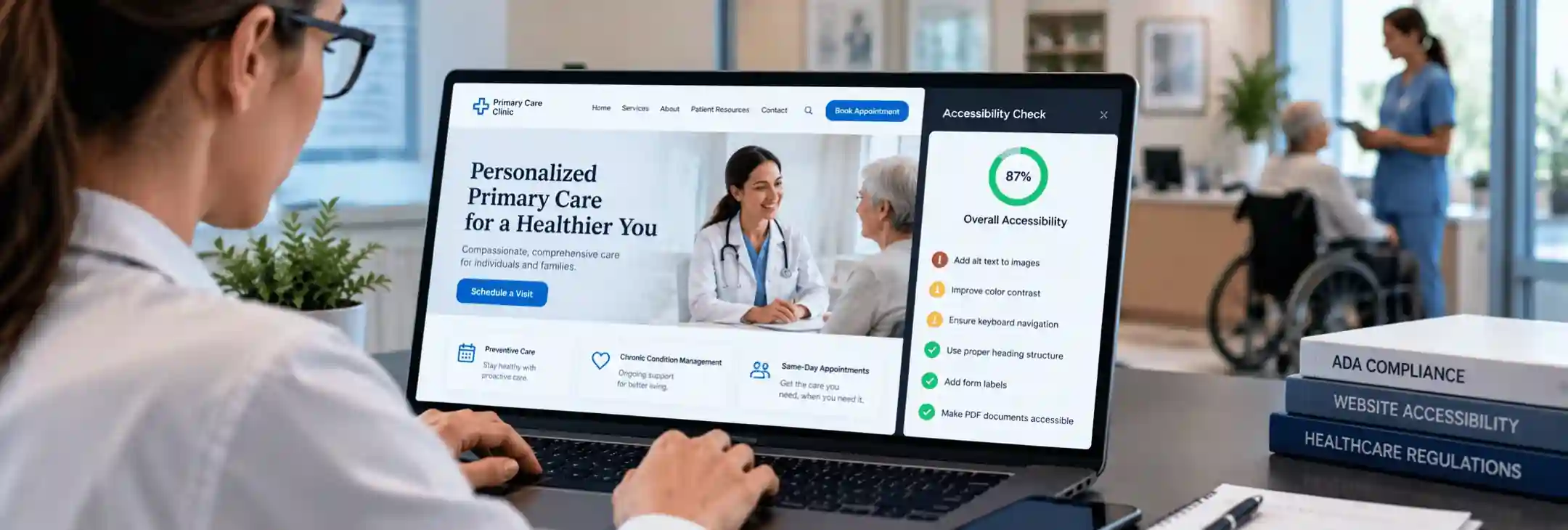

Many clinic owners think accessibility means ramps, doors, and grab bars. Federal regulators now see your website the same way. Section 504 website accessibility rules require practices that receive HHS funding to make their websites and apps usable for disabled patients. A patient who cannot book online with a screen reader faces a locked door.
What Does the Section 504 Website Accessibility Rule Require?
The HHS Section 504 rule requires covered providers to make their websites and mobile apps meet WCAG 2.1 Level AA. An interim final rule in May 2026 pushed the original dates back by one year. Practices with 15 or more employees now have until May 11, 2027. Practices with fewer than 15 employees now have until May 10, 2028.
Who Section 504 Applies To in Healthcare
Section 504 of the Rehabilitation Act has protected people with disabilities since 1973. The law bans disability discrimination in any program that receives federal financial assistance. The Office for Civil Rights inside HHS enforces this law for health and human services programs. HHS updated its Section 504 regulations in May 2024, and the update took effect on July 8, 2024.
That update added clear technical standards for websites and apps for the first time.
HHS defines federal financial assistance very broadly. It covers grants, loans, Medicaid payments and other funds or services from the department. This reach pulls in hospitals, community health centers, physician groups, dental offices, behavioral health clinics, home health agencies and nursing facilities.
Medicare Part B payments have a separate history under Section 504. A practice that bills only Part B and takes no Medicaid has a real question to settle with its health care attorney. The HHS Section 504 rule also reaches tools that outside vendors build or host for the practice.
An online booking widget counts, even when another company runs it. The patient portal, intake forms and bill pay pages count too. HHS has made it clear that a provider cannot hand this legal duty to a technology vendor.
What WCAG 2.1 AA Means for a Clinic Website
Section 504 website accessibility rests on one technical standard. WCAG stands for Web Content Accessibility Guidelines. Version 2.1 came out in June 2018 and remains the legal benchmark under this rule. The standard includes 50 testable success criteria across Level A and Level AA, organized under four simple ideas.
1. Perceivable means patients can see or hear the content in some form.
2. Operable means patients can use every control, even without a mouse.
3. Understandable means pages and forms behave in clear, predictable ways.
4. Robust means the code works well with a screen reader and other assistive tools.
Level AA covers practical items such as color contrast, captions and clear form labels. A practice does not need to meet the stricter Level AAA. Real WCAG 2.1 AA compliance means passing all 50 criteria on every page that patients use. An accessible medical website also has to work on phones and at 200 percent zoom.
Content the Rule Does Not Cover
Section 504 website accessibility does not reach every file on a site. The rule lists five types of content that sit outside the technical standard.
1. Old archive pages stay outside if nobody edits them and they sit in a clearly marked archive area.
2. Older documents stay outside, unless patients still use them to get care or services.
3. Public posts such as patient reviews stay outside, unless a contractor posts them for the practice.
4. Individual patient documents behind a password, such as a lab report, stay outside too.
5. Older social media posts from before the deadline also stay outside.
These exceptions have firm limits. A patient with a disability can still request an accessible version, and the practice must provide it quickly.
Also Read: Essential Hospital Website Design Features That Drive Patient Calls
Section 504 Compliance Deadline Changes for 2027 and 2028
HHS first set May 11, 2026, as the date for larger providers. The department then issued an interim final rule four days before that date. The new rule pushed both deadlines back by one year. It took effect on May 7, 2026, and appeared in the Federal Register on May 11, 2026.
The department wanted its dates to match a parallel delay for state and local government websites under the ADA. The HHS Section 504 rule itself stayed the same, and only the dates changed.
The extension changed the dates, not the duty. Section 504 still bans disability discrimination today, and a broken booking form can still block care. Patients can file a complaint with the Office for Civil Rights at any time. They can also sue in federal court, a right the extension left untouched. The interim rule also keeps the duty to make reasonable changes when a patient reports a barrier.
A practice near the 15-employee line has good reason to plan for the earlier date. The audit and repair work behind Section 504 website accessibility often takes several months for a busy clinic site. May 2027 is closer than it looks.
The Most Common Accessibility Failures on Medical Websites
Most Section 504 website accessibility problems on medical sites come from the same small group of issues. These problems cut straight into healthcare website accessibility because they sit on the pages patients need most. Each one also has a clear fix.
Forms and Online Booking
Intake and booking forms carry the most risk because they control access to care. A patient who cannot finish a form cannot get an appointment.
Visible Labels on Every Field
Many forms rely on gray placeholder text that disappears once a patient starts typing. A screen reader may announce nothing useful for that kind of field. A visible label that the code links to each field solves both problems.
Clear Error Messages
A red border alone does not tell a colorblind patient what went wrong. Each error message needs plain words that name the field and explain the fix. The message also needs to reach assistive technology the moment it appears.
Full Keyboard Navigation Support
Some patients cannot use a mouse because of tremors, paralysis or vision loss. Keyboard navigation lets them tab through every field, date picker and button in a logical order. Many calendar widgets trap the keyboard or skip time slots entirely. A visible focus outline shows the patient exactly where they are on the page.
Images and Video
Meaningful Alt Text for Every Image
Alt text describes an image for patients who cannot see it. A photo of a doctor needs a name and role, not a file name full of numbers. Decorative images need an empty alt attribute so assistive tools skip them.
Captions and Audio Description
Doctor introductions and facility tours need accurate captions. Automatic captions often misspell drug names, conditions and staff names. Any prerecorded video also needs audio description when the visuals carry details the narration skips.
Color Contrast for Text and Buttons
Light gray text on white looks clean but fails many patients with low vision. Normal text needs a contrast ratio of at least 4.5 to 1 against its background. Buttons, icons and form borders need at least 3 to 1.
PDFs and Patient Documents
Many practices still post intake packets, consent forms and price lists as scanned PDFs. A scanned PDF is only a picture of text, so a screen reader finds nothing to read.
PDF Tags and a Clear Reading Order
A tagged PDF carries headings, reading order and form fields that assistive tools understand. Each fillable field needs a label, just like a web form.
HTML Versions of Key Forms
An HTML page often serves patients better than any PDF. It resizes on a phone and updates in one place. Many clinics move intake paperwork into the patient portal for this reason.
Accessible Copies of Patient Records
Lab results and visit summaries inside the patient portal fall under an exception from the technical standard. The practice still owes an accessible copy when a patient asks for one.
Also Read: Your Website Is Losing Patients With These 7 Critical Mistakes
How to Prioritize Accessibility Fixes Before 2027
A sound plan starts with the pages that stand between a patient and care.
A Phased Plan for Clinic Websites
1. An audit comes first: A proper accessibility audit pairs automatic scans with manual testing. Automatic scanners catch only a share of the issues, so a tester still checks every page with a keyboard and assistive software.
2. Online booking, intake and payment: These flows decide whether a patient can actually reach care.
3. Site templates follow: The header, menu, footer and buttons repeat on every page, so one fix there improves the whole site.
4. Documents and media: Active PDFs and videos need tags, captions or HTML versions.
5. Vendor contracts: Every contract with a booking, telehealth or portal vendor should name WCAG 2.1 AA compliance and a timeline for fixes.
6. An accessibility statement: A short page with a phone number and email gives patients a direct way to report barriers.
7. Regular reviews: Every new page and PDF can bring old problems back. A quarterly check protects healthcare website accessibility long after the deadline passes.
Quick Clinic Accessibility Checklist
An accessible medical website passes these checks before the deadline.
1. Every image has alt text that matches its purpose.
2. Every form field has a visible, linked label.
3. Text, icons and buttons meet color contrast minimums.
4. The full site works with keyboard navigation alone.
5. Every video has accurate captions.
6. Active PDFs carry tags or have HTML versions.
7. Pages work at 200 percent zoom without sideways scrolling.
Final Thoughts on Section 504 Website Accessibility
Section 504 website accessibility is essential for US healthcare practices that receive federal financial assistance. The updated deadlines give clinics more time, but accessibility improvements should start now. Focus on screen reader support, alt text, color contrast, keyboard navigation, accessible forms, and online booking.
Regular accessibility audits can help identify and fix common issues. An accessible website improves patient access and supports WCAG 2.1 AA compliance. Taking action early can help healthcare practices prepare for the 2027 deadline and provide a better experience for every patient.
At Rankingeek, we help healthcare practices build accessible, user-friendly websites that support better patient experiences. Our healthcare website development team builds and repairs clinic sites with accessibility in every template. From accessibility audits to website optimization, we help healthcare providers create easier-to-use websites.
Section 504 Website Accessibility FAQs
Does Section 504 apply to small private practices?
Section 504 applies to any practice that receives federal financial assistance, whatever its size. Practices with fewer than 15 employees simply get a later deadline of May 10, 2028.
Is an accessibility overlay plugin enough?
An overlay plugin alone rarely fixes the code underneath. Most overlays add a toolbar but leave missing labels, broken forms and untagged PDFs in place. Genuine WCAG 2.1 AA compliance comes from fixing the site itself.
What happens if my clinic website isn't compliant?
Patients can file a complaint with the Office for Civil Rights, which can investigate and require changes. Serious cases can put HHS funding at risk, and patients can also sue in federal court.
Does the extension mean a clinic can wait until 2027?
The Section 504 compliance deadline moved, but the underlying duty did not. Patients can already raise complaints about barriers that block care, so early work lowers risk.
Do patient portals and outside booking tools count?
The rule covers any portal or booking tool that a practice offers through a contract or license. The vendor builds the tool, but the practice carries the legal duty.