
.png)



A few weeks ago, your clinic sat in the top three on Google Maps. Now new-patient calls have slowed, and a search for your own service shows three competitors instead.
If your clinic is not showing in the Google Map Pack anymore, the cause can usually be found. This guide shows you what to check, and in what order, so you can tell a suspension from a filter or a plain ranking drop.
The Short Answer: Why Clinics Drop Out of the Map Pack
Most clinics drop out of the Map Pack because something changed in relevance, proximity, or prominence, not because Google penalized them. A category edit, an address move, a stronger competitor, or a website problem can each push a listing down. When a clinic dropped off Google Maps entirely, check for a suspension or duplicate-listing filter first.
The most common causes:
- A changed primary category or removed services
- A move, even a few blocks, that changed your proximity to patients
- A new or better-optimized competitor closer to dense neighbourhoods
- Keywords added to the business name, or edits that triggered re-verification
- Duplicate or practitioner listings that cause Google to filter your profile
- Inconsistent name, address, or phone details across local citations
- Website changes such as a redesign, broken redirects, or a noindex tag
Clinic Not Showing in the Google Map Pack? Check This Before Assuming a Penalty
Before changing anything, confirm which problem you have. Search your exact clinic name plus city on Google Search and Google Maps, then check your Business Profile for a suspension notice, a re-verification request, or edits pending review.
Next, search away from the clinic: on mobile data, in an incognito window, or from a neighbourhood across town. The front-desk computer only shows what a patient in your waiting room would see.
Many drops turn out to be filtering or ranking changes, not penalties. Diagnose before making drastic edits, because a flurry of changes can itself trigger re-verification.
Not sure whether your clinic was suspended, filtered or simply outranked?
Google Map Pack Ranking Factors for Clinics: What May Have Changed
Google says local results are based mainly on relevance, distance, and prominence. When a listing slips out of the local pack, at least one of those has usually shifted.
Proximity: Where the Patient Is Searching From
Map Pack results are calculated from the searcher's location, so rankings change street by street. You can rank first two blocks away and vanish three kilometres out.
Picture a dental office in Surrey that moved two blocks. It now sits farther from the residential streets it relied on, and a competitor sits closer. The profile didn't break; the map redrew around it.
Local Relevance: Categories, Services and Location Signals
Your primary category carries most of the relevance weight. A Mississauga physiotherapy clinic that swapped it for a broader wellness category can stop appearing for "physiotherapy Mississauga." Secondary categories, services, practitioner types, and a matching location page on your website add supporting context.
Prominence and Local Competition
Prominence reflects how known and trusted you look online. Review recency and responses matter alongside volume, so a clinic whose newest review is a year old can slip behind one earning reviews monthly.
Competitors change too: a new clinic opens nearby, or a rival earns local links and mentions. Local ranking updates can also reshuffle results, so check the current top three before blaming yourself.
Google Business Profile Issues That Quietly Cost Visibility
Google My Business is now called Google Business Profile, but the basics of Google My Business optimization haven't changed. These are the profile issues we check first after a drop, and Google's guidelines for representing your business explain why several carry suspension risk.
Website, On-Page and Technical SEO Signals
Your profile leans on your website for relevance, so a website problem can surface as a Maps problem.
Check the website link in your profile first. It should point to the right location page, not a retired URL or a generic homepage. That page should show the same name, address, and phone number, with a title tag and headings that mention your main service and city. LocalBusiness or MedicalClinic schema (or Dentist, for dental offices) helps search engines read those details cleanly.
Redesigns and migrations are common triggers for sudden drops. Broken redirects, a leftover noindex tag, or a robots.txt rule copied from a staging site can quietly cut the link between profile and page. Use Google Search Console to confirm the page is indexed.
We cover the wider picture of how to improve local SEO for a clinic separately, but the linked page is where most technical problems hide.
Inconsistent Business Information and Weak Location Signals
Google compares your NAP details (name, address, and phone number) against local citations across the web. When they disagree, its confidence in your location drops. Mismatches show up most after a move or rebrand:
- An old address still live on directories like Yellow Pages, Yelp, or 411.ca
- Suite numbers written different ways, such as "Suite 204", "#204", and "204-1234 Main St"
- A retired or tracking phone number on health directories
- Outdated clinic details on your provincial regulatory college's public register
Fix the listings patients see most, first. If you're comparing local SEO services, ask how they find and correct existing citations, not just how many new ones they build.
How AI Search and AEO Affect Your Clinic's Local Visibility
Google AI Overviews and AI assistants now field local questions like "which physio near Kitsilano is taking new patients?" To answer, they tend to draw on the same signals: Business Profile data, reviews, and clear answers on your website. Conflicting details give them less to trust.
Answer-ready service pages help, with plain descriptions of what you treat and where. Our guide to AEO for Canadian clinics goes deeper.
A Step-by-Step Checklist When Your Clinic Dropped Off Google Maps
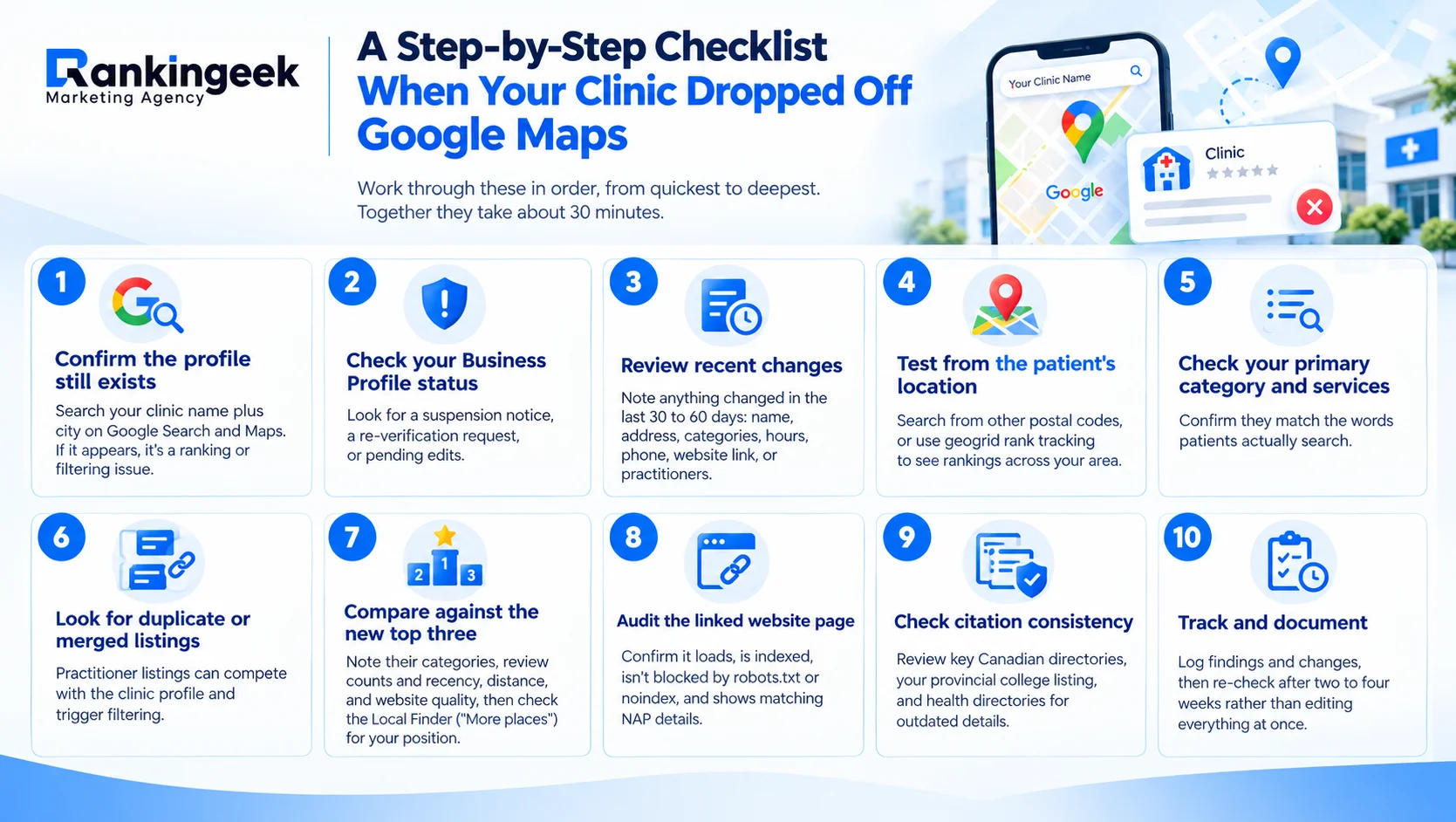
- Confirm the profile still exists: Search your clinic name plus city on Google Search and Maps. If it appears, it's a ranking or filtering issue.
- Check your Business Profile status: Look for a suspension notice, a re-verification request, or pending edits.
- Review recent changes: Note anything changed in the last 30 to 60 days: name, address, categories, hours, phone, website link, or practitioners.
- Test from the patient's location: Search from other postal codes, or use geogrid rank tracking to see rankings across your area.
- Check your primary category and services: Confirm they match the words patients actually search.
- Look for duplicate or merged listings: Practitioner listings can compete with the clinic profile and trigger filtering.
- Compare against the new top three: Note their categories, review counts and recency, distance, and website quality, then check the Local Finder ("More places") for your position.
- Audit the linked website page: Confirm it loads, is indexed, isn't blocked by robots.txt or noindex, and shows matching NAP details.
- Check citation consistency: Review key Canadian directories, your provincial college listing, and health directories for outdated details.
- Track and document: Log findings and changes, then re-check after two to four weeks rather than editing everything at once.
Worked through the checklist and still can't find the cause?
How to Get Your Clinic to Show on Google Maps Again
A clinic not showing in the Google Map Pack is rarely a lost cause. Reinstated suspensions and fixed technical errors tend to recover faster than proximity or competition shifts, which take steady work. Be wary of anyone who promises a timeline.
Owners searching "how to get my clinic to show on Google Maps" usually need the fundamentals first, which our earlier guide covers. Long term, improving local SEO for a clinic means careful profile upkeep, a strong location page, and genuine reviews.
Whether you work in-house or compare local SEO services for small business, keep the same order: profile, linked page, then prominence. It's the order our local SEO services for clinics follow too.
Book a free Google Maps / Local SEO audit. We'll review your Business Profile status, categories, proximity coverage across your service area, the clinics now outranking you, your website signals, and NAP consistency. You'll get a plain-language summary of what's holding your listing back and which fixes to make first.
Frequently Asked Questions
Why is my clinic not showing on Google Maps for some searches?
Map Pack results depend on where the patient is and what they type. You may rank near the clinic but not across town, or for your name but not your services. Test from several neighbourhoods before assuming something is broken.
Can editing my Google Business Profile too often hurt my ranking?
It can. Frequent changes to your name, address, or categories can trigger re-verification and a temporary drop. Make one change at a time, note the date, and wait a few weeks before judging the result.
Can a practitioner listing push my clinic's listing out?
Yes. If a practitioner's profile shares your address and a similar category, Google may show that listing instead of the clinic's. Check that each practitioner profile is needed and set up correctly.
Is Google My Business the same as Google Business Profile?
Yes. Google renamed Google My Business to Google Business Profile, so older local SEO Google My Business guides still describe the same tool. The ranking basics haven't changed.