
.png)

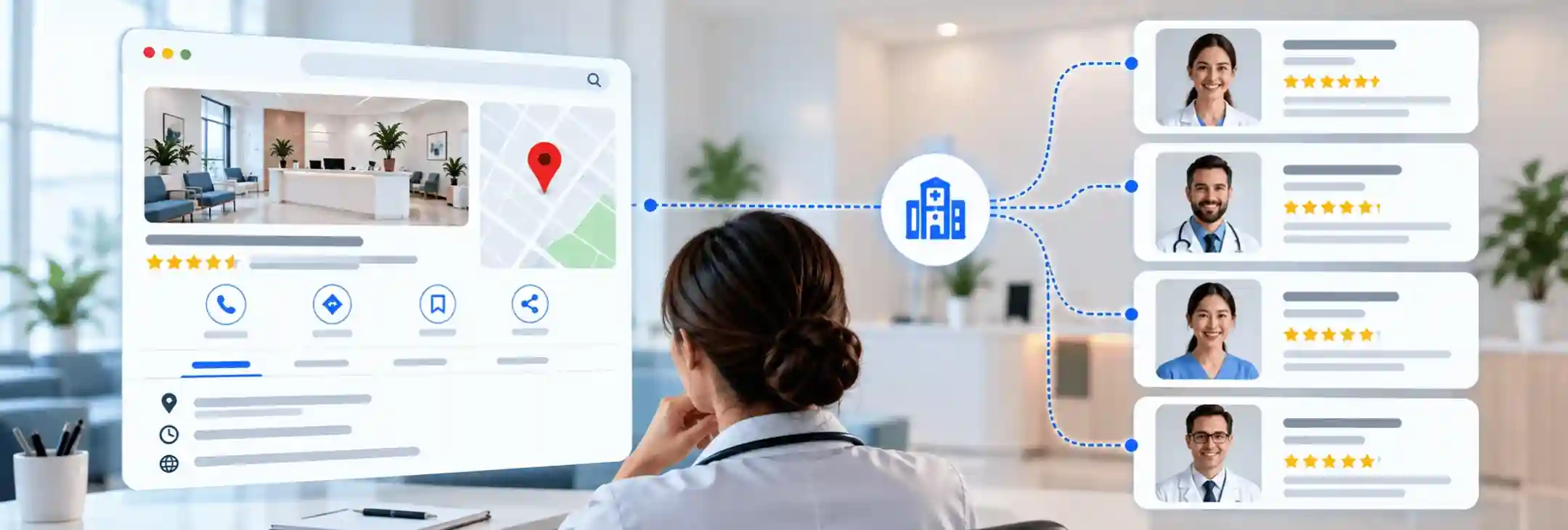

Clinic owners across Canada keep asking the same thing once their team grows past two or three providers. A practitioner Google Business Profile for each clinician sounds like easy visibility, yet it can split reviews and confuse Google. This guide explains what Google allows, where separate listings pay off, where they backfire, and how a clinic stays in control when someone leaves.
Quick Answer on Separate Listings for Each Clinician
Google allows every public-facing practitioner to hold a profile of their own, and that profile can lift visibility when patients search for a clinician by name. Separate listings can also split reviews across several pages and create duplicate listing problems at one address. A practitioner Google Business Profile works best as a targeted tool for a few clinicians, not a blanket rule for the whole team.
Clinics that go ahead need firm rules on categories, ownership, and the fate of each listing when a practitioner leaves. The short version is simple. Separate listings suit clinicians whom patients ask for by name, and they rarely help support staff or short-term locums.
What Google's Guidelines Say About Practitioner Listings
Google treats doctors, dentists and other licensed professionals as individual practitioners. Its official guidelines for representing your business set two conditions for a dedicated profile. The clinician works in a public-facing role, and patients can reach that clinician directly at the verified location during stated hours.
Support staff do not qualify, so receptionists, billing teams and clinic coordinators stay off the map. Google also rules out several profiles for one person. A physiotherapist who offers acupuncture and pelvic health care still gets one practitioner listing, not three. Each practitioner Google Business Profile must belong to one real clinician who sees patients at that address. The rules are then split by clinic size.
- Several practitioners at one address: The clinic keeps its own location profile, separate from the clinicians. Each clinician profile carries only the clinician's name, with no clinic name attached.
- One practitioner at a branded location: Google prefers a single shared profile here, named with the brand first and the practitioner second. A solo chiropractor at a branded clinic would not run two listings.
This second rule catches many growing clinics off guard. A clinic with one physician today and three clinicians next spring needs a different setup at each stage. Google lets a clinician add a title or degree, such as Dr. or MD, to the profile name.
Ontario adds an unexpected twist here. Its Regulated Health Professions Act limits the title doctor to a short list of professions while they provide care, including physicians, dentists, chiropractors, optometrists and psychologists.
When Separate Listings Help Your Clinic
Separate listings earn their place when patients search for a person rather than a building. Three situations come up again and again in Canadian clinics.
- Referrals and word of mouth: Many Canadian patients reach a specialist through a family physician's referral, and that referral carries a clinician's name. A dedicated profile with the clinician's photo, hours and booking link gives that patient a clear place to land.
- A distinct specialty: A pelvic health physiotherapist inside a sports clinic serves searches that the main listing rarely reaches. A separate primary category lets that clinician appear for those searches without directly competing with the clinic profile.
- Control over listings that already exist: Google sometimes shows a basic listing for a long-practising clinician that nobody at the clinic manages. A claimed and verified profile puts the phone number, hours and website link back in the clinic's hands.
Most front desk teams know how many callers ask for a clinician by name. That number tells an owner more about this decision than any ranking report. A clinician who draws those calls is the strongest candidate for a practitioner Google Business Profile.
Pros and Cons of Individual Practitioner Listings
The table below sets each benefit beside its matching risk, so owners can weigh them side by side.
Most clinics land somewhere in the middle, with listings for a few key clinicians and the clinic profile for everyone else.
When Practitioner Listings Hurt Rankings and Reviews
Separate listings can quietly hurt a clinic when nobody plans for them. Four problems show up most often.
- The local filter: Google often shows one listing and hides the rest when several share an address and category. This filter isn't a penalty, yet a clinic with five lookalike listings may still show only one in the local pack.
- Review dilution: A clinic that earns twenty Google reviews a month on one profile might see four per listing once five clinicians share that flow. Each thin profile then competes with rivals that have years of reviews on a single page.
- Duplicate listings: A solo clinician who opens a personal listing beside the clinic listing creates a duplicate at the same address and phone number. Old listings from a former location, or a profile a clinician set up at a past job, add to the confusion.
- Review replies and privacy: Every extra listing means extra review replies, and Canadian health privacy laws leave little room in those replies. In 2023, a Saskatchewan privacy commissioner found that a dental clinic breached patient privacy by using patient files to push for the removal of negative reviews. An unmanaged practitioner Google Business Profile can do more harm than no listing at all.
The federal privacy commissioner has also stated that online reviews of health professionals count as personal information. Some clinics ask staff to leave the first reviews on a new profile, and that shortcut carries its own risk. The Competition Bureau has warned that employees must disclose their connection to a business in any review, and Google removes reviews tied to current or former employment.
Also Read: Why Duplicate Business Listings Are Quietly Costing Your Clinic Booked Appointments
How to Set Up Practitioner Profiles Correctly
A clean setup starts with a verified, complete clinic listing before any clinician profile goes live. Three areas then decide whether each new listing helps the clinic or creates cleanup work later. Every practitioner Google Business Profile should pass the three checks below before it goes live.
Naming a Practitioner Profile the Right Way
Step 1. The Name on the College Register
The profile name should match the name on the clinician's provincial college registration. Patients often check that name against the public register before they book.
Step 2. Credentials Without Extra Words
Google accepts a title or degree, such as MD, DDS or DC, beside the name. Words like best, the clinic name, or a city name break the rules and invite a suspension.
Step 3. One Name in One Language
Bilingual clinics in Quebec, Ottawa and New Brunswick often show English and French on their signs. Google does not allow the same name to be repeated in two languages, so each listing uses one version.
Choosing Categories for Each Clinician
Step 1. A Primary Category That Matches the Specialty
The category should describe what the clinician is, not every service on offer. A registered psychologist inside a multi-practitioner clinic still uses Psychologist as the main category.
Step 2. Less Overlap With the Clinic Category
Clinicians who share the clinic's exact category compete with it for the same searches. A distinct specialty category, where it reflects real practice, gives each listing its own lane.
Step 3. Few Categories, Chosen Honestly
Google asks for the fewest categories that describe the core work. Extra categories that only serve as keywords weaken a listing more often than they help it.
Linking Each Profile to the Clinic Website
Step 1. A Bio Page for Every Clinician
Each listing should point to that clinician's own page on the clinic website, not the homepage. A strong provider bio page lists credentials, registration, services, languages spoken and a direct booking option.
Step 2. Matching Name, Address and Phone Details
The address on every clinician listing should match the clinic listing and the website exactly, suite number included. Search specialists call this NAP consistency, and Google relies on it to trust each location. A direct line or extension for each clinician also helps Google tell the listings apart.
Step 3. Clinic Ownership From Day One
The clinic should hold primary ownership of every profile, with the clinician added as a manager. Google gives owners full control, while managers can edit details and reply to reviews but cannot remove users or delete the profile.
That one choice decides who controls the listing on the day a clinician resigns. A full program of Google My Business optimization covers these steps across the clinic profile and every clinician listing.
Also Read: Google Business Profile for Doctors, the Complete Optimization Guide for 2026
What to Do When a Practitioner Leaves Your Clinic
A departing clinician is the point where most practitioner listings go wrong. An abandoned profile keeps sending calls to a clinic that no longer books that person, and patients notice.
- A closed status keeps the listing honest: Google lets an owner’s profile mark as permanently closed, and the listing then shows that status to anyone who finds it.
- Account removal is not map removal: Google states that removing a profile from an account does not guarantee its disappearance from Search and Maps. A closed status sends patients a clearer signal than a silent, unmanaged listing.
- A new clinician gets a fresh profile: Google treats a change of proper name as a new business, not a rebrand. A renamed listing would also hand the new clinician reviews that someone else earned.
- A clinician who moves may keep their listing: Some clinicians want to take their profile to a new clinic and update the address. The associate agreement settles this question best at the hiring stage, long before anyone resigns. Most clinics fold these steps into the same offboarding checklist that covers keys, EMR access and billing numbers.
Final Thoughts on Practitioner Google Business Profile for Multi-Provider Clinics
Separate listings work best as a deliberate choice for specific clinicians, not a default for the whole team. A practitioner Google Business Profile makes sense for the people patients already ask for by name. The clinic profile can carry everyone else. Clear rules on naming, categories, ownership and departures keep those listings an asset rather than a cleanup job.
Rankingeek helps Canadian clinics decide which clinicians need a listing and sets each one up within Google's rules. Our healthcare local SEO audits identify filtered profiles, duplicate listings, and category conflicts, helping clinics maintain a consistent, trustworthy presence in local search results. We set ownership rules, close stale listings and keep every clinician profile accurate through staff changes.
Frequently Asked Questions About Practitioner Google Business Profile Listings
Can a solo practitioner have two Google listings?
A solo practitioner at one location should run a single clinic Google listing. Google treats a second listing for the same person and address as a duplicate, which puts both listings at risk of suspension.
How do I remove a listing for a doctor who left?
The clinic owner can update the practitioner's Google Business Profile to show a closed status in its hours settings. Anyone can also report a listing that no longer belongs at the address through Google Maps. A closed status usually works better than removing the doctor’s Google profile from the account.
Should part-time or locum clinicians get their own profile?
Most clinics keep locums on the main clinic listing instead of a separate practitioner Google Business Profile. Google expects patients to reach a practitioner at the verified location during stated hours, and a locum who works a few days a month rarely meets that test.
How do separate clinician profiles fit into local SEO for clinics?
Clinician profiles form one part of a wider plan that also covers the clinic profile, website and reviews. Strong healthcare local SEO links each listing to a matching bio page with consistent details. Weak listings rarely rank, so each one needs the same care as the main clinic profile.