
.png)


Quick Answer
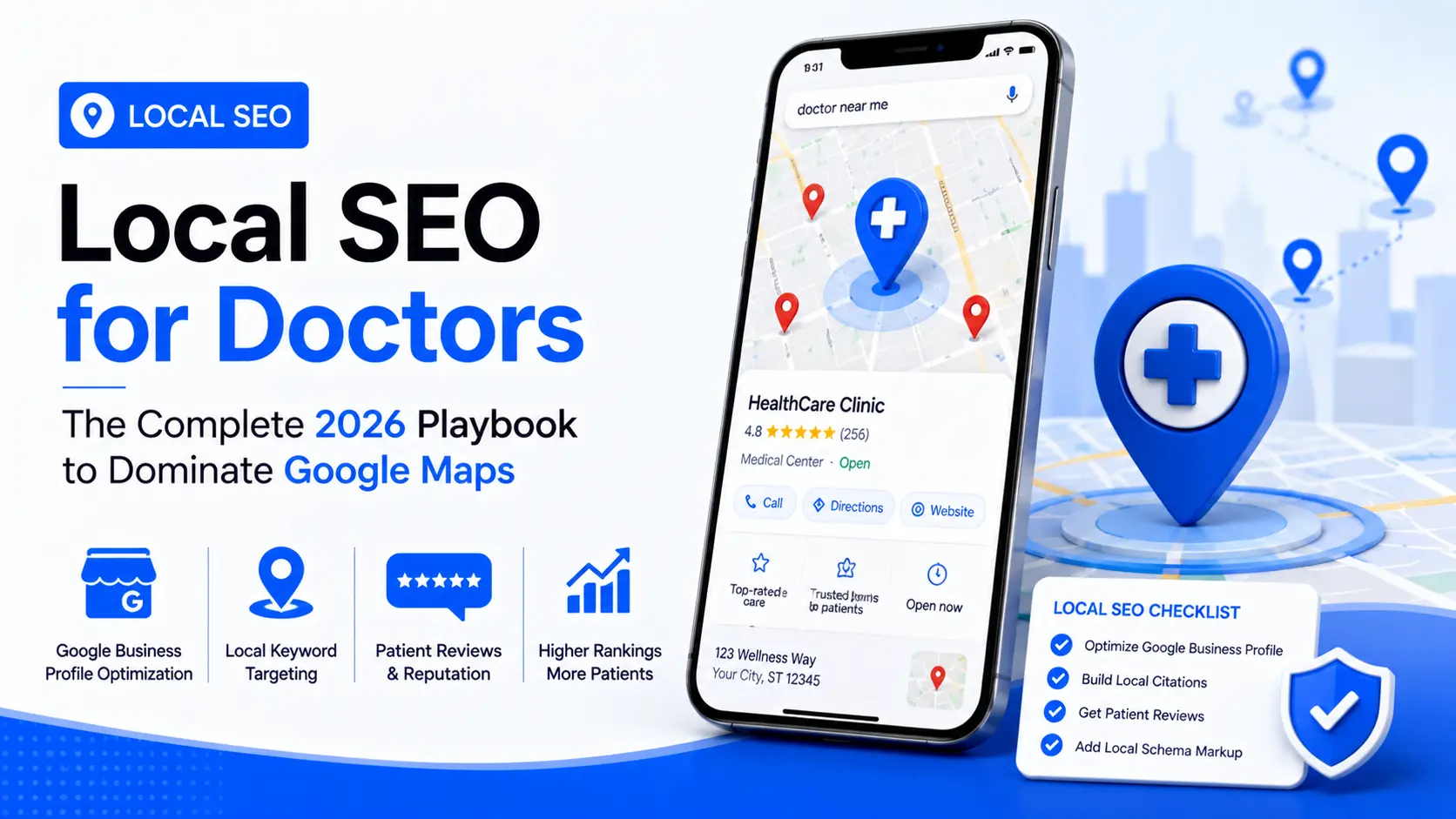
Local SEO for doctors is the work of getting your practice into Google's map pack and local results when nearby patients search for your specialty. It comes down to five things: a verified, complete Google Business Profile, the most specific primary category, consistent name-address-phone data, steady compliant reviews and one strong page per location.
When someone searches for 'dermatologist near me' or 'urgent care open now,' they are not browsing - they are ready to book. Doctor-focused local SEO improves a practice's presence in location-based searches, helping convert patient interest into confirmed appointments. In 2026, with AI-enhanced local search and increasingly competitive local pack healthcare results, a strategic approach to local search optimization is not a nice-to-have - it is a fundamental practice growth driver.
This playbook covers every aspect of medical practice local SEO, from Google Business Profile optimization to citation building and review management, giving your team the complete framework to dominate local search in your market. It now also includes our full step-by-step Google Business Profile guide for doctors.
What has changed is how much of that demand ever reaches you. Google pushed AI-generated answers deeper into local results through 2026, and those results routinely display fewer businesses than a traditional map pack. Fourth and fifth position are close to invisible now. This playbook is written for that narrower field.
Before you work through the playbook: if you would rather know exactly which of these factors is holding your clinic out of the map pack, a free local SEO audit will tell you in 24 hours, location by location.
What Is Local SEO for Clinics?
Local SEO for clinics is the work of getting a medical, dental or allied health practice to appear in Google's map pack and local results when a nearby patient searches for a service, a specialty or a "near me" phrase. It rests on a complete Google Business Profile, consistent name-address-phone data across directories, a steady flow of compliant reviews, and one dedicated page per location on your website.
Whether you call it local SEO for doctors, for clinics or for healthcare practices, it is one discipline operating on two layers. The clinic layer is the location: its primary category, hours, services, photos and reviews, competing on proximity for "urgent care near me" and "physio [suburb]." The doctor layer is the practitioner: an individual profile with a specialty category, competing for "Dr [name]" and "pediatric cardiologist [city]" searches that are usually less contested and higher intent. A solo GP might run both from one address; a twelve-provider clinic runs one clinic profile and up to twelve practitioner profiles. Every section below applies to both layers, and the profile-types table further down shows where they differ.
A solo GP is, in search terms, a small local business, so the mechanics match those behind local SEO services for small business in any industry. The difference is healthcare's compliance layer, which a generic package will not cover.
Does Local SEO Work the Same for Dentists, Physios and Other Specialties?
Yes. The mechanics in this playbook apply to any practice that sees patients in person, from dental and physio clinics to dermatology, mental health and med spas. Three details change by specialty:
- Primary category: pick the most precise option, such as "Cosmetic Dentist" or "Pediatric Dentist" rather than plain "Dentist", where it is accurate.
- Services and patient questions: an orthodontist needs answers on aligners and payment plans; an urgent care clinic on wait times and walk-ins.
- Compliance: testimonial rules differ by profession and country, for example AHPRA rules in Australia and provincial college rules in Canada.
What Changed in Local Search in 2026
Three shifts matter for medical practices this year.
AI answers are compressing the local pack
Google accelerated AI Overviews into local results this year. These formats often surface fewer businesses than the classic three-pack, and in some of them the direct click-to-call button disappears entirely. Fewer slots and fewer one-tap actions means the gap in value between first position and fourth has widened sharply - a practice sitting at four or five may as well not be listed.
Paid local search got more expensive to enter
Google tightened its healthcare and medicines advertising policy in April 2026, adding stricter certification requirements - LegitScript among them - for practices promoting prescription-related services. Paid search still works, and it is covered in depth in our guide to Google Ads for healthcare. But the compliance overhead has risen, and organic local visibility needs no certification and does not stop the day you pause a campaign.
Data consistency became a gate, not just a ranking factor
Mismatched name, address and phone data across directories has always suppressed local rankings. In AI-assembled local answers it increasingly determines whether you are drawn on at all. These systems need a confident, single version of who you are and where you are before they will surface you, and conflicting records give them a reason to reach for a competitor instead.
Why Local Search Dominates Healthcare Patient Acquisition
Approximately 77% of patients use online search before booking a healthcare appointment. The vast majority of those searches carry local intent, meaning patients are searching for providers in their geographic area. Near me healthcare search queries have grown by over 200% in the last five years, and Google's local search results - particularly the map pack - capture a disproportionate share of clicks for these queries.
A strong position in Google Maps rankings helps medical practices connect with patients at the exact moment they are looking to book care. This is fundamentally different from content marketing or brand awareness - local search visibility converts directly to appointments.
How Google Actually Ranks Your Practice
Google weighs local results on three factors. Every tactic in this playbook works by moving one of them, and knowing which one tells you what to fix first. Google documents the three itself in its guidance on improving local ranking, and it is worth reading once because it confirms that nothing else on this page is a trick: everything below moves relevance, distance or prominence.
Relevance - does your listing match what was searched?
The sharpest lever here is your primary category. "Pediatrician" or "Cosmetic Dentist" signals relevance far more strongly than "Doctor" or "Medical Center," and this single field carries more weight than most practices realize. Secondary categories help, but only where they reflect services genuinely delivered at that address. Padding them with loosely related options dilutes the primary signal rather than adding to it.
Distance - how close are you to the searcher?
This is the factor you cannot influence directly, and the one practices waste the most effort trying to game. What you can control is whether every address you operate from is properly established: its own verified profile, its own page on your website. A homepage will not support a listing for a suburb twelve miles away.
Prominence - how well known and well regarded are you?
Reviews, citations, backlinks and overall site authority all feed this. Prominence is what separates a practice that ranks from one that is technically complete and still invisible - and it is the slowest of the three to build, which is why it is worth starting now rather than after the profile work is finished.
Not sure which of the three is holding your clinic back? That is the first thing the audit answers, per location, before any work starts.
How to Rank Your Practice Higher on Google Maps: A 7-Step Checklist
The short version of this playbook, in the order the work should happen:
- Claim and verify the Google Business Profile for every address, and for each public-facing clinician.
- Set the most specific primary category, then add secondary categories only for services you genuinely offer at that address.
- Complete every field: real-world name, description, services, hours, insurance, attributes and an appointment link.
- Make name, address and phone identical everywhere, starting with the data aggregators.
- Start a compliant post-visit review process at every location, and reply to every review.
- Build one original location page per address, with its clinicians, services, online booking and a short FAQ.
- Add MedicalClinic and Physician schema, then track calls, direction requests and map-pack position for each location.
Mastering Your Google Business Profile (Google My Business) for Healthcare
Claiming and Verifying the Profile You Already Have
Search Google Maps for your practice and each clinician first, because Google often creates unclaimed listings from directory data. If one exists, use "Claim this business" and complete verification (often a short video of your signage and premises) instead of creating a new profile. A second profile creates a duplicate listing, which splits your reviews and suppresses both.
Building a Complete and Optimized GBP
Your Google Business Profile healthcare listing is the single most influential factor in local search visibility. An incomplete or poorly managed profile is a missed opportunity at scale. Every field should be completed with precision: business name exactly as it appears on your website and signage; correct NAP (Name, Address, Phone) matching every other online mention; accurate business category (use the most specific medical specialty available); complete service area information; and all available healthcare-specific attributes such as insurance accepted, appointment availability, and accessibility features.
Consistency of NAP citations healthcare across the internet - your website, directories, and GBP - is a foundational trust signal for Google's local ranking algorithm. Any discrepancy in your practice name, address format, or phone number across platforms suppresses local rankings.
Treat the profile as an active marketing asset rather than a directory entry. Photos, service menus, answered questions and regular posts all feed the completeness Google is measuring, and completeness is the part of local ranking that sits entirely within your control.
Business Name and Description Rules
Google's guidelines require your real-world name only: adding a specialty, city or slogan ("Best Dermatologist Miami") can get the profile suspended. The 750-character description should say who and what you treat in plain language, with no links, prices or promotions.
Insurance, Services, Booking Links and Hours
- Insurance: where available in your market, add accepted insurers from Google's list.
- Services: list each treatment you actually offer at that address.
- Appointment link: point it at that location's booking page, not the homepage.
- Hours: keep regular and holiday hours accurate.
Clinic-Level and Practitioner-Level Profiles
Most practices run one profile per address and stop there. Google's own eligibility rules allow more. A public-facing clinician who can be contacted directly at a verified address qualifies for their own profile alongside the clinic's, and the two coexist at the same address without conflict when set up correctly.
That matters because they catch different searches. The clinic profile competes on proximity and category. The practitioner profile competes on doctor-name and specialty queries, which are often less contested and carry higher intent. If the profile has already been suspended or has disappeared from Maps, none of this applies until it is reinstated; our guide to clinics that vanished from Google Maps covers the diagnosis and the 2026 appeal process.
Optimizing GBP Posts, Photos, and What Replaced Q&A
Active management of your GBP listing signals relevance and freshness to Google's local algorithm. Post weekly updates about new services, seasonal health topics, or staff announcements. Responding to patient questions in the Q&A section helps build trust while reducing the risk of others providing unreliable answers. Maintain a library of high-quality photos: interior images, staff headshots, and exterior shots that help patients recognize your practice on arrival.
2026 update: Google retired Business Profile Q&A from November 2025; patient questions are now answered by AI using your profile, reviews and website. Put your most-asked questions in a short FAQ on each location page instead.
For physician local search optimization, individual practitioners should claim separate GBP profiles where appropriate, as Google allows multi-practitioner practices to list physicians individually - each with their own optimization opportunity.
Basic vs. Fully Optimized Profile: A Side-by-Side Check
Building Citation Authority for Medical Practices
Essential Healthcare Directory Citations
Beyond Google, doctor near me SEO depends on consistent citations across medical-specific and general directories. Priority platforms for healthcare citation building include Healthgrades, Zocdoc, Vitals, WebMD, US News Health, Yelp, Bing Places, Apple Maps, and Facebook. Consistency of practice information across all these platforms reinforces your legitimacy in Google's eyes and provides additional pathways for patient discovery.
When you are cleaning up inconsistent data, fix the aggregators first. They feed dozens of downstream directories, so one corrected record cascades widely, while the same hour spent on individual listings fixes one each. Which aggregators dominate depends on your country, so confirm before you start.
Managing Reviews for Local SEO and Patient Trust
Clinic Google reviews SEO is driven by both review volume and recency. Google's local algorithm explicitly weighs the number of reviews, average star rating, and the rate at which new reviews are being acquired. For a healthy review profile, implement a systematic post-visit review request process - via SMS or email - that makes it simple for satisfied patients to leave feedback without any incentivization that would violate Google's policies or healthcare ethics guidelines.
Responding professionally to both positive and negative reviews demonstrates active engagement and is itself a local SEO hospital 2026 ranking signal. Never ignore negative reviews - a thoughtful, HIPAA-compliant response that avoids confirming any patient relationship details protects both your reputation and your compliance standing.
Three things make a review programme work: timing, channel and coverage. Ask immediately after a positive appointment, while the experience is still specific in the patient's mind. Ask directly and neutrally, with nothing attached that could be read as an incentive. And run the process at every location, not just the ones where the front desk happens to be good at it.
On responses, the safe structure is narrow: acknowledge the feedback, thank the reviewer, invite them to call the practice directly. Nothing that confirms a treatment relationship, nothing that references a visit, nothing that touches health information - including in replies to positive reviews, where the temptation to add detail is strongest.
For example, "Glad your knee surgery went well, John!" confirms a patient relationship; "Thank you for sharing this. Our team is always here if you need us" does not.
Location Pages: The On-Site Half of Maps Ranking
A Maps listing and the page it points to work as one system. Optimizing the listing while pointing it at a homepage leaves most of the available ranking on the table.
Every location needs its own page, and swapping the address on a copy-pasted template will not do it - Google reads thin, duplicated location pages as low quality, and for healthcare the threshold is higher than in most industries. Health content is classified YMYL, which means these pages have to demonstrate real E-E-A-T rather than just exist. In practice:
- The clinicians who actually work at that address, with credentials and affiliations
- Services offered at that site specifically, not a group-wide list
- Proximity signals a local patient would recognize - nearby landmarks, neighborhoods, transit stops
- Online booking on the page itself, not a link to a central contact form
- Fast mobile load, since most near-me searching happens on a phone
- A short FAQ on parking, insurance and new-patient availability
Schema Markup That Connects Your Site to Your Listing
Schema markup tells Google's Knowledge Graph what your practice is in language it does not have to infer. For healthcare the relevant types are MedicalClinic and Physician - applied correctly, they help search engines identify you as a specific local entity rather than a page that happens to mention medicine, which supports Maps visibility and organic rankings at the same time. This sits on the healthcare web development side of the work rather than the marketing side, and on a site that has never had it, it is usually the fastest technical win available. See our schema markup guide for healthcare for the setup.
Local SEO Priorities at a Glance
Measuring Local SEO Performance
Profile views do not pay salaries. The numbers worth reporting are the ones that immediately precede an appointment:
- Direction requests
- Call clicks
- Website clicks from the listing
- Local pack position for each location-and-specialty keyword combination
Track them per location rather than as a group total. A group average hides the one address that is quietly failing, and that is almost always the address that needs the work. If an address has a complete profile and still does not appear for its own specialty, the cause is usually one of the seven SEO mistakes that keep clinics off Google, and that guide is the fastest way to isolate which.
One compliance note before configuring any of this: tracking pixels are generally acceptable on public, unauthenticated pages and carry serious risk on authenticated patient portals. The distinction is not a technicality - getting it wrong creates real regulatory exposure. Our guide to HIPAA-compliant healthcare PPC covers the tracking architecture in detail. The primary source is the HHS guidance on online tracking technologies, which is what a compliance officer will check your setup against.
Want those four numbers benchmarked against the practices ranking above you, per location? That is what the free audit produces.
Scaling Across Multiple Locations
Running this across several addresses changes the work more than most groups expect. The failure pattern is consistent: a group treats its locations as one brand, runs a handful of thin profiles from head office, and loses the local pack at every address to single-location competitors with fully maintained listings. Google ranks each address independently. A dormant profile at one site drags that site down regardless of how strong the brand is everywhere else.
The operating rules are simple and rarely followed: one verified profile per physical address, one dedicated page per profile, a distinct citation profile for each address, and review activity spread across all locations rather than concentrated wherever the request process happens to work.
Canadian clinics carry an additional compliance layer - provincial college advertising rules restrict testimonial and review practices in ways that materially change the tactics above. That is covered separately in our compliance-ready guide for multi-location clinics in Canada.
Conclusion
Dominating Google Maps clinic ranking in 2026 requires a systematic, detail-oriented approach to every element of local SEO for doctors. From building a comprehensive Google Business Profile healthcare listing to managing NAP citations healthcare across dozens of directories and cultivating a steady stream of clinics Google reviews SEO-boosting patient feedback, each element compounds over time to drive sustainable practice growth.
None of it is a one-time setup. The practices that hold the local pack are the ones treating profile completeness, review velocity and data consistency as standing operational work - which is also why the advantage compounds. Unlike a paid campaign, local visibility does not reset the month you stop paying attention, but it does erode.
Rankingeek Marketing Agency, a Best Healthcare Digital Marketing Agency, has developed proven frameworks for medical practice local SEO that help practices of all sizes capture the high-intent local search traffic that translates directly to booked appointments.
Frequently Asked Questions
How long does it take to see results from local SEO for doctors?
Most practices see meaningful improvements in Google Maps clinic ranking within 60-90 days of implementing a comprehensive local SEO strategy. Citation cleanup and GBP optimization typically show the fastest results, while review volume and content authority build over a longer timeline. More on how long local SEO takes for a clinic to rank.
Is Google My Business the same as Google Business Profile?
Yes. Google renamed it in 2021, so local SEO on Google My Business and Google Business Profile optimization are the same work.
Can a telehealth-only practice have a Google Business Profile?
No. Google's eligibility guidelines require in-person contact with customers, so virtual-only practices should focus on telehealth SEO instead.
What should we do about a fake 1-star review?
Report it through your Business Profile. If Google leaves it up, post a brief, compliant reply and keep collecting genuine reviews so it carries less weight.
What is the most common local SEO mistake made by medical practices?
The most common mistake is NAP inconsistency - having different versions of the practice name, address, or phone number across the website, Google Business Profile, and healthcare directories. This inconsistency confuses Google's local algorithm and suppresses doctor near me SEO visibility significantly.
Which local SEO factor should a clinic fix first?
The primary category on the Google Business Profile, because it is one field, takes five minutes, and changes which searches the profile is eligible for at all. After that, fix name-address-phone mismatches at the aggregator level, then start the review request process, because prominence is the slowest signal to build. Location pages and schema come after the profile is in order, not before.
How do I get my medical practice to show up on Google Maps?
Check Google Maps for an existing listing and claim it, or create a Business Profile at your exact address and verify it. Ranking for specialty searches then depends on the steps in this playbook.
Can I do local SEO for my practice myself?
Yes, the basics (profile, category, NAP fixes, review requests) can be done in-house. Practices usually bring in help for citation cleanup, location pages, schema and multiple locations.
Do Google Ads improve my Google Maps ranking?
No. Ads and organic map rankings are separate, but ads can capture patients above the map pack while organic visibility builds. See our Google Ads guide for medical practices.
How much does local SEO for a clinic cost?
Rankingeek delivers clinic local SEO through Local Search Domination at USD $1,000 per month, which covers Google Business Profile optimization, citation building and cleanup, on-page and technical fixes, schema and FAQ structuring for AI search, and monthly local-intent content. Practices that want paid acquisition, booking automation and reputation work alongside it move to a growth retainer between USD $1,500 and $4,500 per month depending on locations and specialties. For a fuller breakdown of what clinics are actually paying for SEO, see our SEO agency cost guide for medical clinics. Every plan is listed on our pricing page.